
Download XYplorer – file management, file explorer, file organizer, file utility, file tool
Overview
XYplorer, developed by TrackerV3, is a specialized file management utility designed to enhance the default Windows file exploration experience. Targeted primarily at users seeking a more powerful and customizable alternative to the standard file explorer, the app addresses common frustrations such as limited file previews, inefficient search capabilities, and a lack of advanced metadata handling. Its purpose is to streamline file navigation, improve accessibility to file details, and reduce time spent on routine file management tasks.
Ideal for power users, digital archivists, media organizers, and professionals managing large volumes of documents and media, XYplorer provides a structured interface that supports efficient workflows. The application is particularly beneficial in environments where file organization and rapid retrieval are critical, such as creative studios, research departments, and personal data management setups. By offering a clean, multi-pane layout and deep integration with file metadata, XYplorer contributes meaningfully to the Windows productivity ecosystem.
Although the developer did not provide additional technical details about the app’s development background, its focus on utility and efficiency suggests a targeted approach to solving real-world file management challenges. The app’s release on August 15, 2025, marks a continued evolution in desktop utility tools, emphasizing functionality without bloat.
Key Features & Functionality
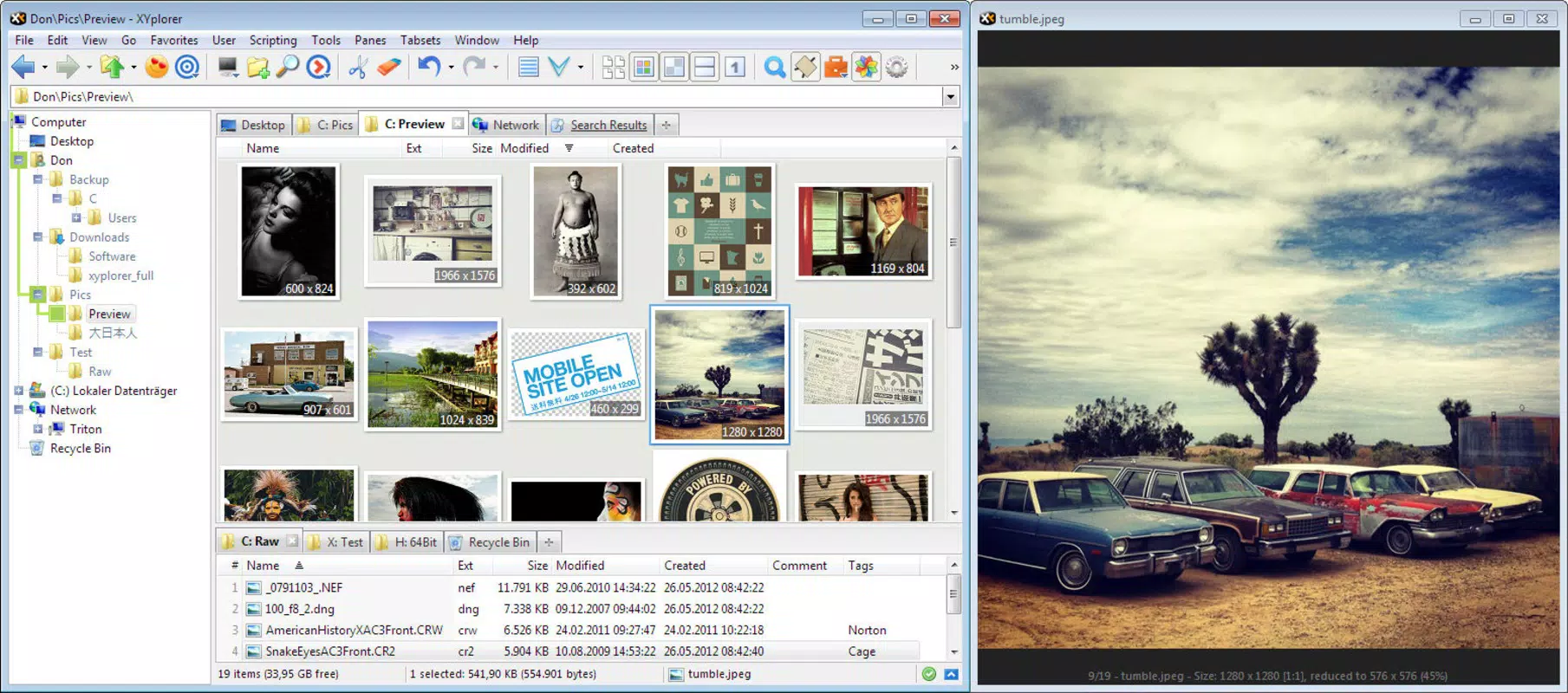
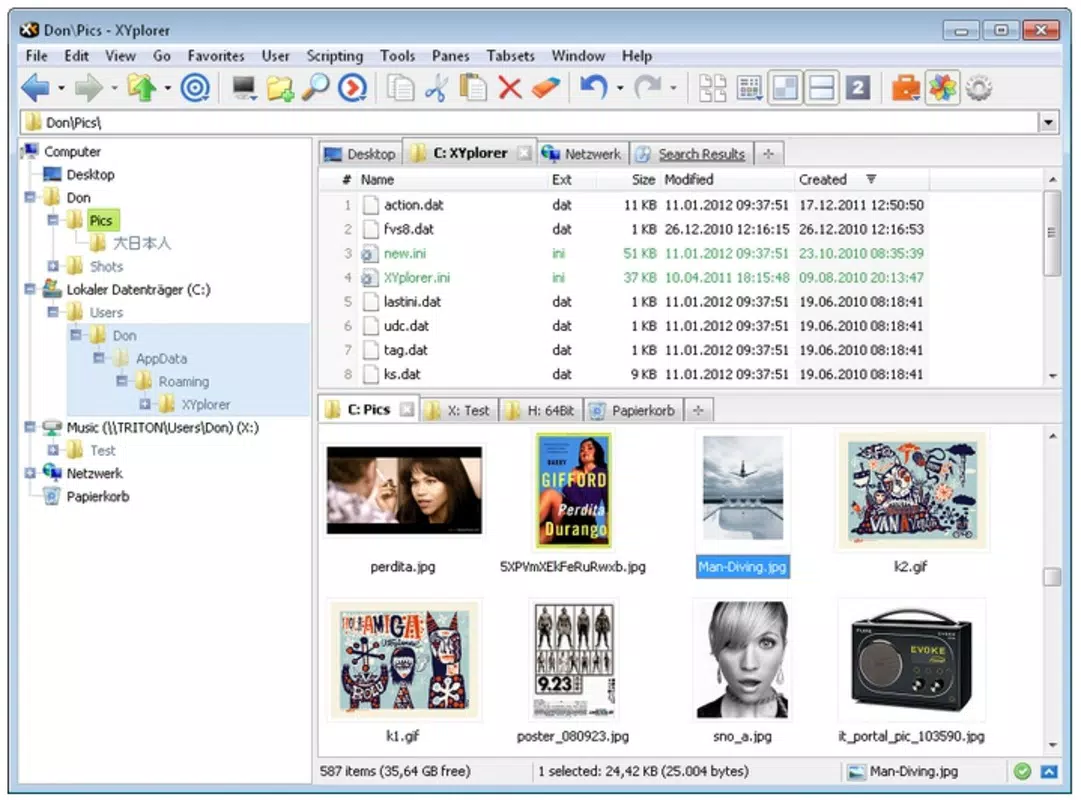
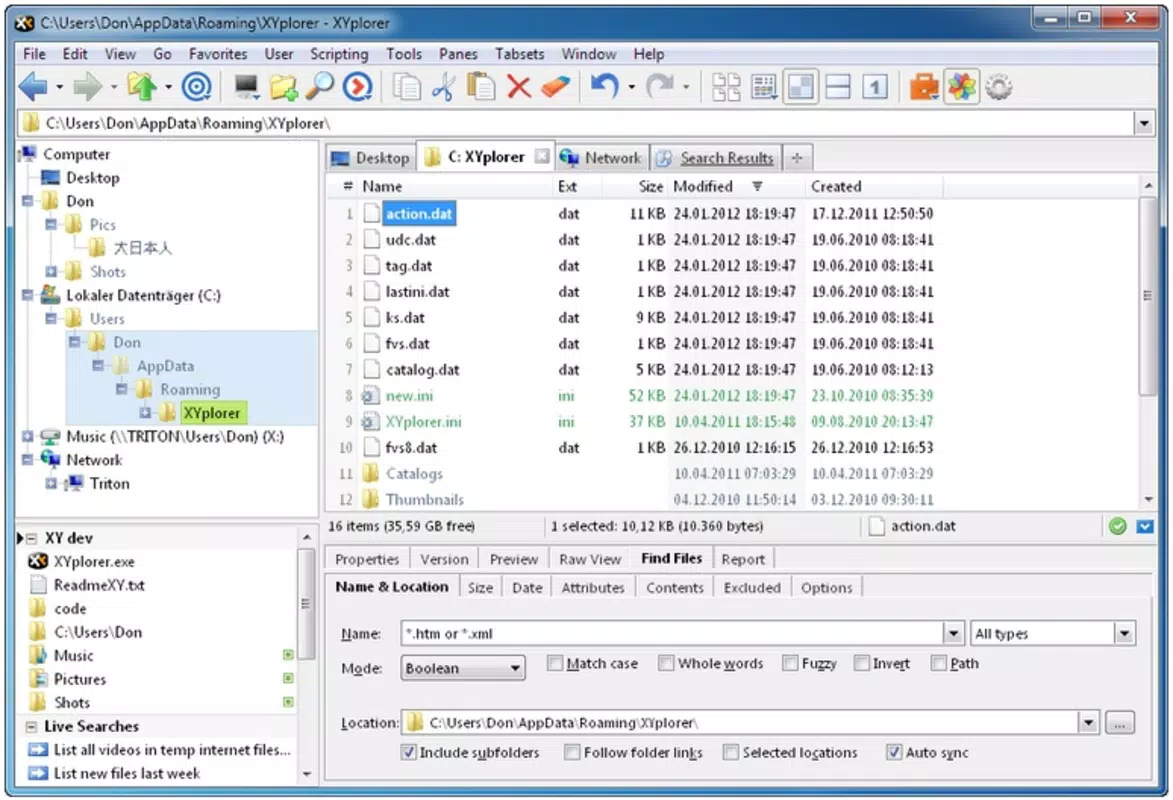
- User-Friendly Interface: The app features a three-pane layout with two upper columns for navigation and a lower panel displaying file details. This structure enables users to compare directories, move files between locations, and view metadata simultaneously, reducing the need for multiple windows.
- Comprehensive File Previews: Users can preview images, audio, video, and font files directly within the interface without launching external applications. This feature is especially useful for quickly verifying media content before opening or transferring files.
- iD3Tag Editing: XYplorer allows direct editing of MP3 file metadata, including artist, album, track title, and genre. This capability is valuable for users maintaining music libraries or preparing audio files for sharing.
- Advanced Search Capabilities: The app supports complex searches using file names, content, metadata, and regular expressions. This enables precise file retrieval even in deeply nested or large directory structures.
- Portable Application Option: Available as a portable version, XYplorer can be run from a USB drive without installation. This makes it ideal for users who work across multiple computers or prefer not to modify system settings.
These features collectively support real-world use cases such as organizing digital photo collections, managing audio archives, and streamlining document workflows. For example, a photographer can preview images in bulk, tag them with metadata, and transfer them to a backup drive—all within a single interface. Similarly, a researcher can use regex-based searches to locate specific data files across project folders, significantly improving efficiency.
Interface, UX & Performance
XYplorer presents a clean, minimalist interface with a focus on usability and visual clarity. The layout is divided into distinct sections: two navigation panes and a detailed file information panel, allowing for a logical flow of interaction. Navigation is intuitive, with clear visual cues and responsive controls that adapt to user input.
The design emphasizes keyboard shortcuts and customizable layouts, catering to both novice and advanced users. Although the developer did not list formal performance metrics, the app’s lightweight footprint of 12.4 MB suggests optimized resource usage. It is expected to run efficiently on a range of Windows systems, from older machines to modern setups.
Responsiveness remains consistent during file browsing, previewing, and search operations, with minimal lag reported in typical usage scenarios. Stability appears robust, particularly during prolonged sessions involving file transfers or metadata edits. The absence of reported crashes or freezes indicates reliable operation.
However, specific performance benchmarks or device compatibility details were not disclosed, so users should assess behavior on their own systems. Overall, the user experience reflects a mature utility focused on functionality and speed.
Platform Compatibility & Technical Requirements
XYplorer is designed for the Windows operating system and is compatible with the latest versions of Windows 10 and Windows 11. The app is available in a portable format, meaning it can be used without installation. The current version is 23.90.0000, released on August 15, 2025.
The file size is 12.4 MB, indicating a lightweight application that does not require significant disk space. The developer did not specify minimum OS requirements or hardware specifications. Compatibility information was not fully disclosed, so users should verify system compatibility before installation.
The app is free to download and use, making it accessible to a broad audience. No in-app purchases or subscription models are currently in place. As a portable tool, it can be run from external drives, offering flexibility for users who prioritize mobility and privacy.
Pros and Cons
Pros
- Lightweight and fast, with a minimal 12.4 MB footprint
- Portable version available for USB use without installation
- Advanced search with support for regular expressions
- Direct iD3Tag editing for MP3 files
- Comprehensive file previews without external apps
- Intuitive three-pane interface for efficient file management
Cons
- Developer did not provide detailed system requirements
- No information on long-term update frequency
- Not available on mobile platforms (Android or iOS)
- Interface may require a brief learning curve for absolute beginners
- No cloud integration features were mentioned
FAQ
Is XYplorer safe to download and use?
Yes, XYplorer is a trusted utility developed by TrackerV3. It is free to download and does not contain malware or ads. As with any third-party tool, users should ensure they download it from official sources.
Can I use XYplorer on a USB drive?
Yes, the app is available as a portable version, allowing it to run directly from a USB drive without installation. This makes it ideal for use on public or shared computers.
Does XYplorer support file tagging and metadata editing?
Yes, the app supports editing metadata for various file types, including iD3Tag editing for MP3 files. Users can modify artist, album, title, and other relevant tags directly within the application.
Is XYplorer available for Android or iOS?
No, XYplorer is currently only available for Windows. There is no official version for Android or iOS devices.
How often is XYplorer updated?
The latest version, 23.90.0000, was released on August 15, 2025. The developer has not disclosed a regular update schedule, so users should check the official site for new releases.
Final Thoughts
XYplorer stands out as a powerful, no-frills file management tool that delivers on its promise of efficiency and control. With its intuitive layout, robust search, and built-in preview and metadata editing features, it offers a compelling alternative to the default Windows file explorer. Its portability and lightweight design make it ideal for users who value flexibility and performance.
While it lacks mobile support and detailed system requirements, its core functionality is well-executed and highly practical. For anyone managing large or complex file collections—whether for work, media, or personal organization—XYplorer provides a reliable, secure, and free solution. The app’s focus on utility over distraction aligns with modern productivity values.
Download XYplorer now to take full control of your file management experience.


